
July 21,2025
You know that feeling when you open a new gadget, expecting a mess of wires and instructions in 6 languages? Yeah, this isn’t that.
When you unbox PCS VoIP, you’re not just unpacking phones — you’re unpacking a better way to communicate. One that’s modern, mobile, and made to work for real businesses (not frustrate them).
Let’s walk you through it — unboxed, step by step.
🔹 Step 1: The Arrival
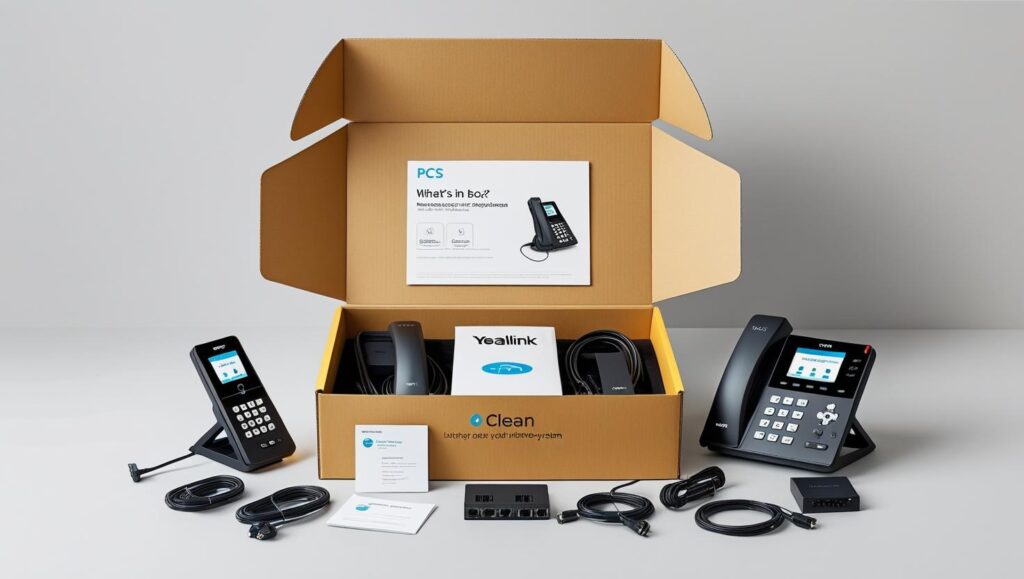
A clean, clearly labeled package. No heavy equipment. No need for a tech team or construction crew. Just what you need, nothing you don’t.
Inside, you’ll find:
Your Yealink phones (pre-configured and ready to go)
Power cords, network cables
A simple, visual setup guide
Your login info for the PCS VoIP portal
That’s it. No server racks. No toolboxes. No headaches.
🔹 Step 2: Plug In, Power Up
Setting up takes minutes — literally.
Plug the phone into power.
Connect it to your internet.
Watch it auto-configure itself.
Your extensions are already programmed. Your settings are live. You can start calling right away.
🔹 Step 3: Set It Your Way
Now the fun part: making it yours.
Using the PCS VoIP dashboard (which works from any browser), you can:
Add team members or departments
Set business hours
Create custom greetings
Turn on voicemail-to-email
Route calls to mobile when you’re away
You don’t need a degree in telecom. It’s all drag, drop, toggle, done.
🔹 Step 4: Support That’s Actually Supportive
Even though the setup is easy, you’re never alone.
Our onboarding team walks you through your first few days. Our support? Based in the U.S. and available when you need us. No robots, no ticket shuffles.
✅ What You Don’t Get in the Box:
Confusion
Downtime
Wasted hours on hold
A phone system from 2003
🎯 Final Thoughts
PCS VoIP isn’t just a better phone system — it’s a better experience. From the first unboxing to your first call, everything’s designed to be simple, fast, and future-ready.
What’s in the box? A business-ready communication solution — and some peace of mind.